
Receipts & expenses
How to Organize Receipts for a Small Business
Practical records. A clearer business.
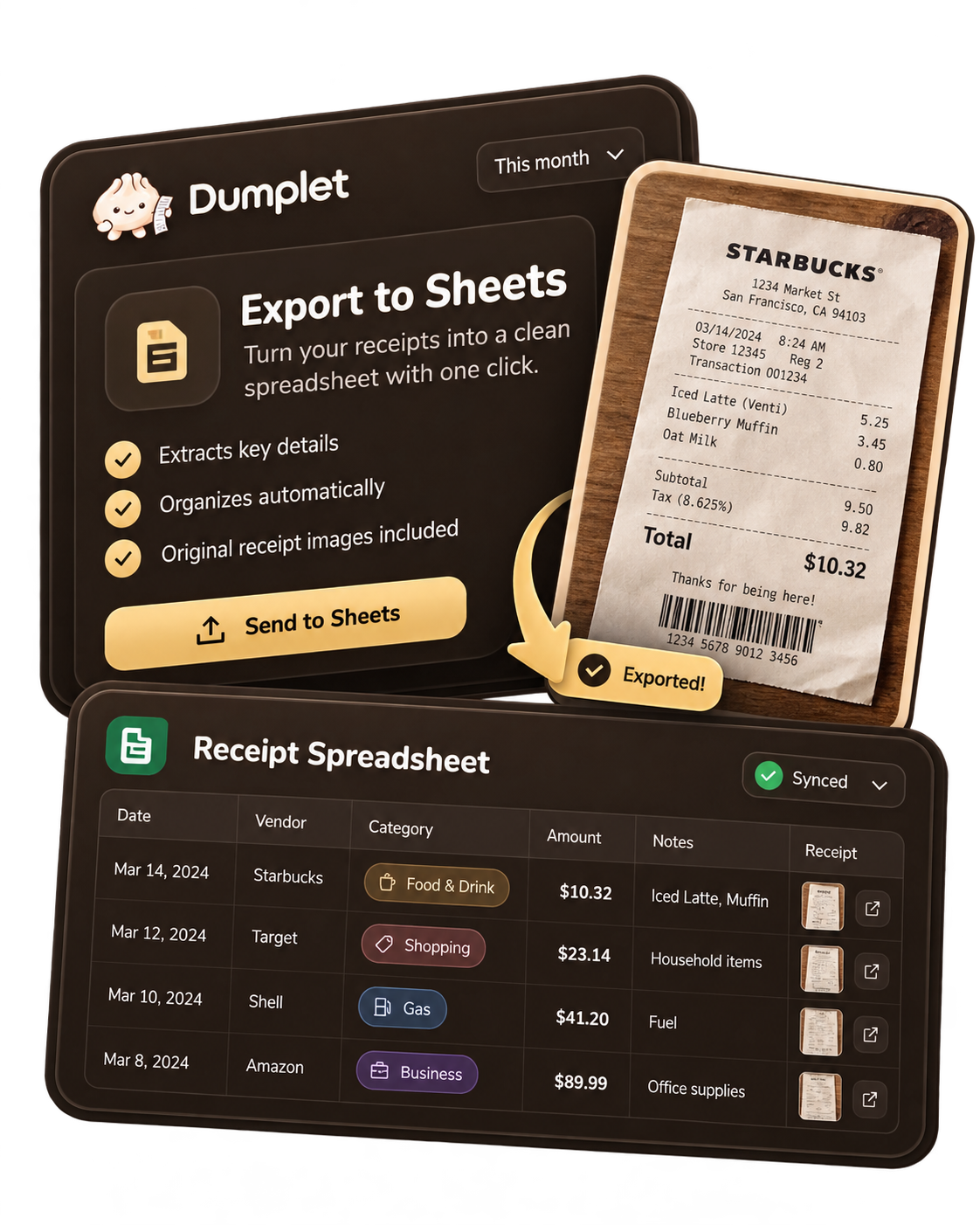
A receipt is easy to save and surprisingly easy to lose track of. It might be in your camera roll, an inbox, a shopping app, or the bottom of a bag. Small business receipt organization starts with giving those records one reliable home and a short review routine.
You do not need a perfect filing system. You need to be able to find a purchase, understand its business purpose, and connect it with the expense you recorded.
Keep the details behind the payment
For each purchase, keep a readable receipt or invoice showing the seller, date, items or services, and total. Add the currency when relevant, along with a payment reference and a short note about the business purpose. A bank statement helps show a payment happened, but may not explain what you bought.
For example, “supplies for October client workshops” is more useful than “store purchase.” If you run multiple businesses, identify which business the record belongs to while the purchase is fresh.
Choose one home for digital and paper receipts
Paper and digital receipts can follow the same workflow. Photograph paper receipts promptly, with all edges and amounts visible. Open the image to check that it is readable before putting the paper away. Keep originals when required for your circumstances; a photo is not a reason to discard every original document.
For online purchases, save the itemized receipt or paid invoice. A shipping update or shopping-cart screenshot may not show the final amount. Download emailed receipts as PDFs or save a clear screenshot, then upload that file to your records. Dumplet supports receipt images, screenshots, and PDFs, so these different formats can stay together.
Use a capture, check, categorize routine
- Capture: Save the receipt when you pay, or set a daily reminder to collect the day’s purchases.
- Check: Confirm the date, vendor, amount, currency, and business assignment against the original document.
- Categorize: Pick a consistent expense category and add context in a note.
- Review: Once a week, check missing details and compare recorded expenses with your payment records.
Keep the routine small enough to repeat during a busy week. Five attentive minutes today can be more useful than an elaborate system you only open every few months.
Make categories useful and consistent
Start with straightforward groups such as supplies, software, equipment, and professional services. Apply the same approach to similar purchases. Categories help you understand spending, but assigning a category does not by itself determine whether something is deductible.
A mixed purchase needs extra attention. If a store receipt includes both client supplies and household groceries, identify the business portion and keep a note explaining the split. Do not count the full receipt as a business expense simply because some items were for work. See our guide to separating business and personal expenses.
Check for duplicates and gaps
An emailed receipt, a PDF invoice, and a screenshot can all describe the same payment. Keep useful supporting documents, but record the expense only once. Look for the vendor, date, amount, and order reference before adding another entry.
If a receipt is missing, request a replacement from the seller and retain the payment evidence you do have. Mark the record as incomplete rather than filling gaps with guessed amounts. Ask your tax professional what documentation is appropriate if you cannot recover it.
Let Dumplet hold the pieces together
Dumplet brings receipt capture, expense categories, notes, and supporting files into a simpler workflow. Its Needs You review workflow helps you return to records that need attention. Review the details against the original instead of assuming every captured record is finished.
Explore receipt tracking for self-employed people and organizing self-employed tax records for more context. Dumplet keeps your business records organized, makes tax time easier, and helps you understand how your business is doing.
Start with the next receipt. Save it, give it context, and give yourself a regular moment to review it.
Your business sidekick, from everyday records to a clearer picture.
Explore Dumplet